


Veo 3.1 Fast
from 81 crPolished cinematic shots with native dialogue and sound, rendered quickly.
- 4–8s
- 720P · 1080P · 4K
- Text · Frames · Reference
Restyle video in your browser: upload a clip, choose a preset or a style image, and keep the motion and audio. Text to video and image to video live here too.
Free-plan results appear in the public gallery · charged only when it succeeds
Your video appears here
Pick a model, write a prompt and press Generate. You only pay for successful renders.
Source clip
Restyle Video restyles the clip you upload. Drop an MP4 or MOV up to 95 MB and the studio reads its length, size and frame rate before anything is charged, then picks the restyle model that can take it: Wan 2.7 Video Edit for 2–10 seconds, Kling O3 for up to 15, Seedance for up to 30.
No footage? The same studio makes video from text, from first and last frames or from reference images with 11 generation models, up to 30 seconds and 4K. Every price is shown before you generate.
How it works
Four steps from upload to download. The price updates the moment your clip is read.
MP4 or MOV, up to 95 MB. Sign in and it uploads while you choose the look.
Tap a preset to fill the prompt, or add one style image on Wan 2.7. Edit the prompt to say what must stay.
The studio explains any automatic model switch. Choose 720p or 1080p and whether to keep the original audio.
Follow the live status, then wipe between the source and the restyle. Download the MP4 or try another look.
Presets & style images
Presets fill the prompt with a tested style description; a style image shows Wan 2.7 the exact palette and texture.
Thick impasto strokes and painterly light. Works best on slow, well-lit shots where brush texture has room to show.
Soft washes, pastel palette and fine pencil lines. Good for travel, nature and calm portraits.
Graphite lines on paper with a little line boil. A strong pick for explainers and storyboards.
Plasticine characters with fingerprints and stop-motion charm. Simple backgrounds give the cleanest result.
Cel-shaded line art and flat anime colour. For more anime-only looks, see our anime guides.
Rounded 3D feature-film characters and warm studio light. Great for kids' content and brand mascots.
Neon night, wet reflections and holographic signs. Night street footage takes it best.
Hand-painted cels, film grain and a muted 1990s TV palette for a retro feel.
Restyle models
There is no strength slider: strength comes from the model and the prompt. Kling O3 redraws the whole frame most strongly; Wan 2.7 follows your style image closely; asking to “keep the person photoreal” limits the change. Length decides which models can take the clip.
| Model | Clip length | Output | Style image | Audio | Price |
|---|---|---|---|---|---|
| Kling 3.0 Omni TransformStrong full-frame restyles of 10–15 s clips | 3–15.5 s | 720P · 1080P · 4K | Silent output | from 31 cr/s | |
| Wan 2.7 Video EditDefaultStyle images and keeping the original sound | 2–10 s | 720P · 1080P | Keeps original audio | from 22 cr/s | |
| Seedance 2.5 Flash EditLong clips up to 30 s at a low rate | 4–30 s | 480P · 720P | Can generate audio | from 31 cr/s | |
| Seedance 2.5 EditLong clips with the most detail | 4–30 s | 480P · 720P · 1080P · 4K | Can generate audio | from 46 cr/s | |
| Gemini Omni Flash 1.2Quick, cheap tests of a look | 2–15 s | 720P · 1080P · 4K | Model decides | from 13 cr/s | |
| Seedance 2.0 EditCharacter-heavy edits up to 1080p | 2–15 s | 480P · 720P · 1080P | Can generate audio | from 31 cr/s | |
| Seedance 2.0 Fast EditFaster Seedance 2.0 edits | 2–15 s | 480P · 720P | Can generate audio | from 19 cr/s | |
| Seedance 2.0 Mini EditThe cheapest Seedance edit | 2–15 s | 480P · 720P | Can generate audio | from 7 cr/s |
Wan 2.7 is the default. If your clip is longer than 10 seconds, or its size or frame rate doesn't fit a model, the studio switches to the first model that can take it, such as Kling O3, listed as Kling 3.0 Omni (up to 15 s) or Seedance 2.5 Flash (up to 30 s), and tells you why.
Generation models
For clips made from scratch. Lengths, resolutions and prices come straight from the studio.
Polished cinematic shots with native dialogue and sound, rendered quickly.
Google’s highest-fidelity Veo for hero shots where detail matters most.
The cheapest way to try an idea in Veo, with the same 4–8s clips.
Long multi-shot stories up to 30s with consistent characters and audio.
Seedance 2.5 storytelling at a lower price for drafts and social cuts.
Reliable all-rounder for motion, camera moves and reference-driven shots.
Faster, cheaper Seedance 2.0 for iterating on motion and timing.
Very low-cost previews to test prompts before a full render.
Long takes up to 30s, up to 10 keyframes and omni reference, up to 4K.
Kling 4 motion quality at 720p for quick social clips.
Playful, stylized clips up to 30s at a low price, from text or a reference.
More ways to start
Besides restyling a clip, you can generate one. The examples below were made in these modes. Hover to play.
Describe the scene and the look in one prompt; useful when you want a stylised clip but have no footage.
Restyle one still in the image studio, then animate it from that frame.
Keep a styled character or product consistent in a new scene with reference images.
Target looks
Torn paper, halftone and landmarks: a strong look for city and travel footage.
Skate, run or ride footage restyled as a 16-bit side-scroller.
Grain, halation and faded colour for interviews and quiet portraits.
Night streets and city walks turned into a glossy animated feature look.
Half real, half illustrated: a scroll-stopping format for portraits.
Low-light vlogs restyled with a cinematic, painterly grade.
Look gallery
Example clips and stills from the community, each with its prompt. Use one as a target look for your restyle, or recreate it from text.
Base Scene & Art Style: Mixed-media paper collage travel poster of the Japanese woman and Tokyo landmarks comes to life as an animated editorial spread. The stop-motion aesthetic, layer depth, and raw textures are…
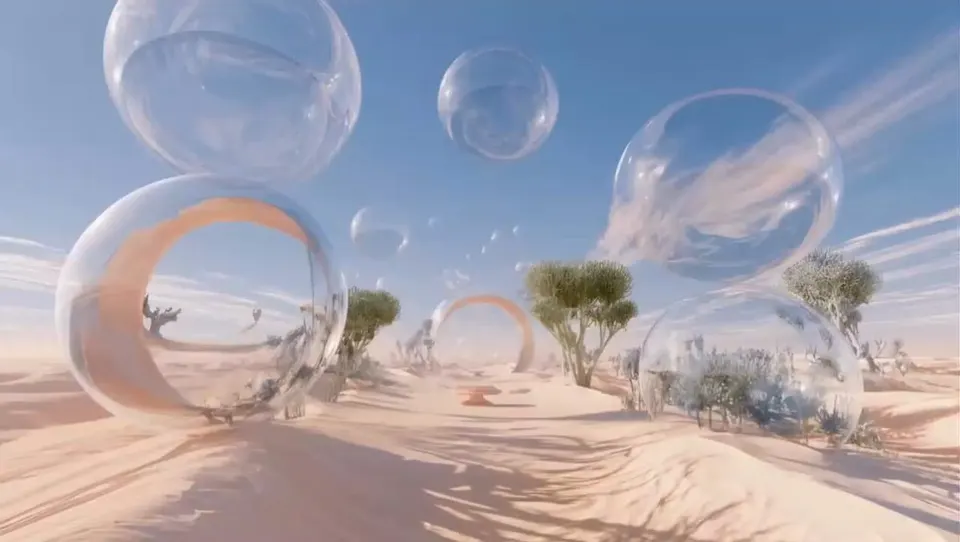
Style & Environment: 3D animated surreal dreamscape with pastel aesthetics, soft cinematic lighting, and a whimsical, playful tone.Scene 1 (Desert & Floating Bubbles): A vast, serene desert landscape made of smooth…
A pixel-art skateboarder races down the side of a futuristic megacity on a magnetic board while traffic drones, neon billboards and collapsing skybridges fill the path, he grinds along a suspended rail, jumps through a…
Cinematic 3D animation, futuristic cyberpunk city at night with neon billboards reflecting on wet asphalt. A sleek, agile female cyborg character wearing a black high-tech bodysuit and glowing purple rollerblades skates…
[Core Concept] “A real person naturally existing inside a pixel RPG game world” 👉 Background = Pixel art 👉 Character = Photorealistic (identical to the real person) 👉 Key = No sense of mismatch --- [🚨 Absolute Rules…
A hyper-realistic editorial street photograph of a beautiful adult woman standing confidently at a busy urban intersection in a creative nightlife neighborhood. She has long, naturally textured dark brown hair worn…
A young East Asian woman in an elegant black gothic coquette dress with layered black tulle skirt and sheer polka-dot opera gloves stands against a blue and lavender gradient studio background, soft neon blue and purple…
Young woman, Long loose curly hair , wearing casual clothes, sitting alone in a dark room at night, using her phone, cinematic lighting, soft blue tones, suddenly phone notification appears showing "Video from: Me", she…
Create a 15-second vertical 9:16 cinematic motivational short film with an emotional, soothing, realistic atmosphere. The story should visually represent loneliness, struggle, hope, and the simple message: “KEEP GOING.”…
Authentic 1980s European documentary on vintage Kodak 16mm. 0–4s: A slim beautiful Scandinavian woman sits alone beside the window inside an old overnight train crossing the Alps. Rain softly hits the glass while…
“THE LAST TRAIN” STYLE: Ultra-realistic Hollywood action-thriller, photorealistic live-action, billion-dollar blockbuster aesthetic, practical stunt choreography, realistic human movement and physics, cinematic night…
A cinematic 30-second summer short film featuring the same young woman throughout the entire video, set in a peaceful American countryside during golden hour. She has shoulder-length dark hair, natural makeup, and a…
Showcase pieces are curated from meigen.ai and credited to their original creators.
Prompt structure
A restyle prompt describes the new look, not the scene: the clip already supplies the scene. Cover these five parts.
Name the medium: oil painting, claymation, pixel art, 16mm film.
Two or three concrete details: thick brush strokes, pastel palette, halftone dots.
What must not change: motion, timing, faces, on-screen text.
Whole frame, or only the background, sky or clothing for a partial restyle.
Things to leave out: no text overlays, no extra characters, no camera shake.
Restyle the video as a moving oil painting with thick, visible brush strokes and a warm ochre palette. Restyle only the background; keep the dancer photoreal. Keep the original motion and timing. No text overlays.
FAQ
Restyles are billed per second of your clip at the resolution you choose. The studio shows the exact cost as soon as your clip is read, before anything is charged. Generated clips start at 24 credits.
Each restyle model has limits on length, size and frame rate. If your clip breaks one, the studio moves to the first model that can take it, such as Kling O3 for 10–15 s or Seedance for up to 30 s, and shows the reason under the model picker.
Yes on Wan 2.7 Video Edit: leave “keep original audio” on. Seedance edits can generate audio instead; Kling O3 returns silent video.
MP4 or MOV up to 95 MB and up to 30 seconds. Seedance edits need 720p or smaller input; the studio warns you if a 1080p clip won't fit.
No. Credits are reserved when you start and returned automatically if the restyle fails or times out.
Usually a few minutes, depending on the model and clip length. You can leave the page; the result appears in My creations.
Source clips are stored privately for the restyle and deleted after seven days. Your restyled result stays in your account until you delete it.
Only upload footage you have the rights to use. Restyling doesn't change who owns the original, and our Terms of Service apply to every upload.
Upload a clip, pick a look and see the price before you render. Generated clips start at 24 credits.